
Add a Telescope Location
Step 1:
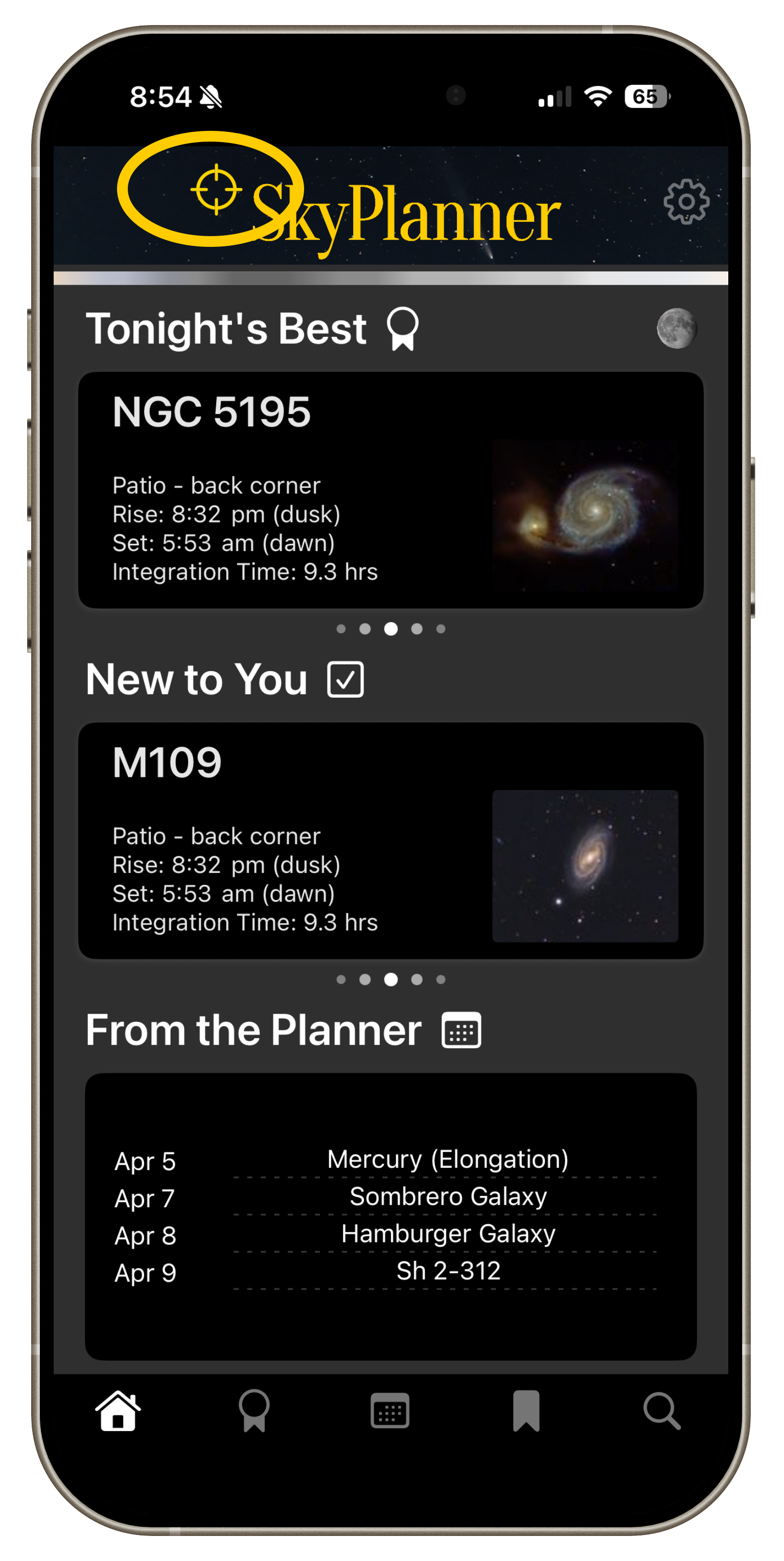
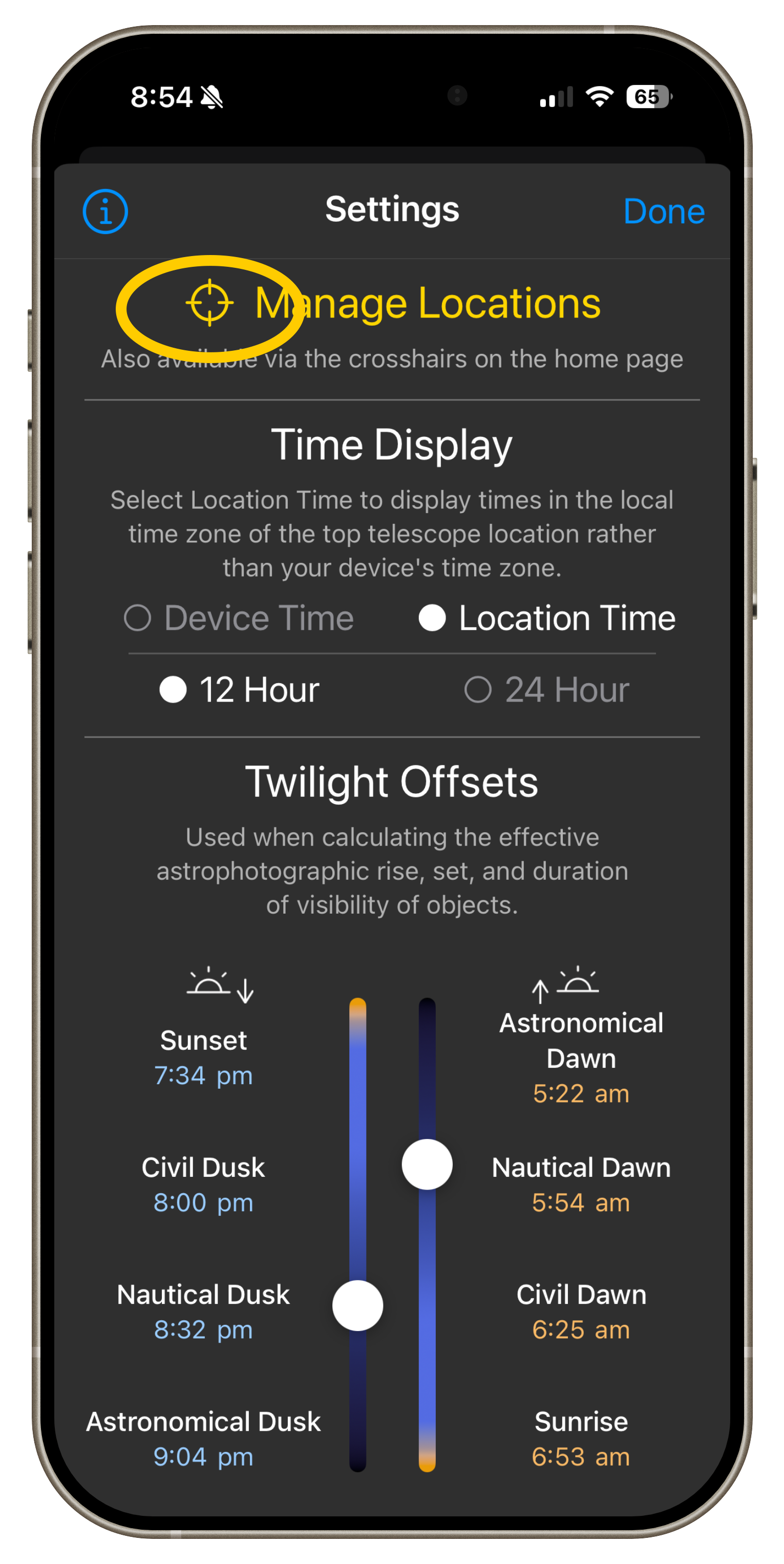
Click reticule either on the home page or at the top of the settings page.
Step 2:
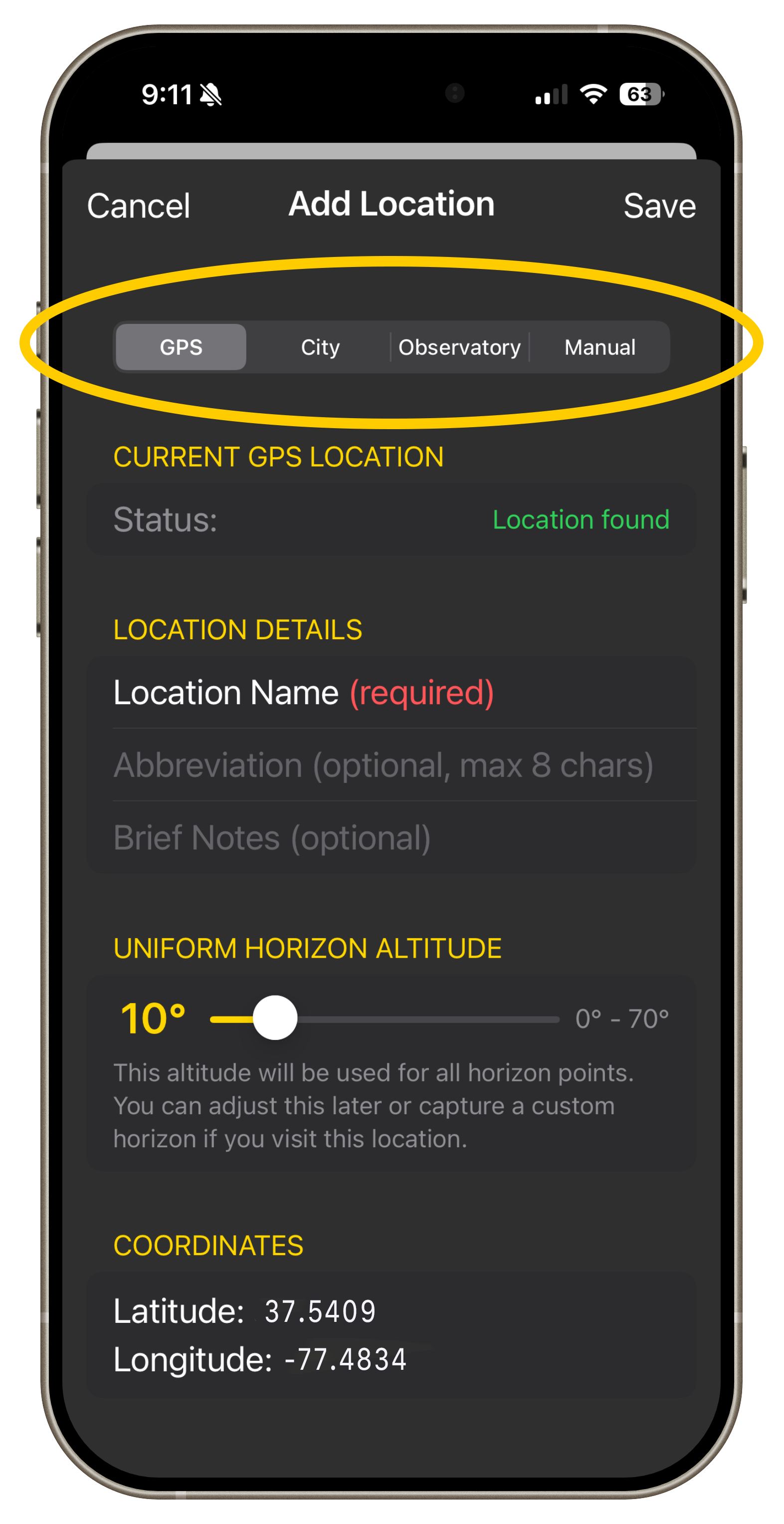
Using the tabs, choose a method for setting the the geographic coordinates. You can choose to use current GPS, city/state/country, choose from many popular remote observatories, or directly enter latitude and longitude coordinates.
Step 3:
Step 4:
Step 5:
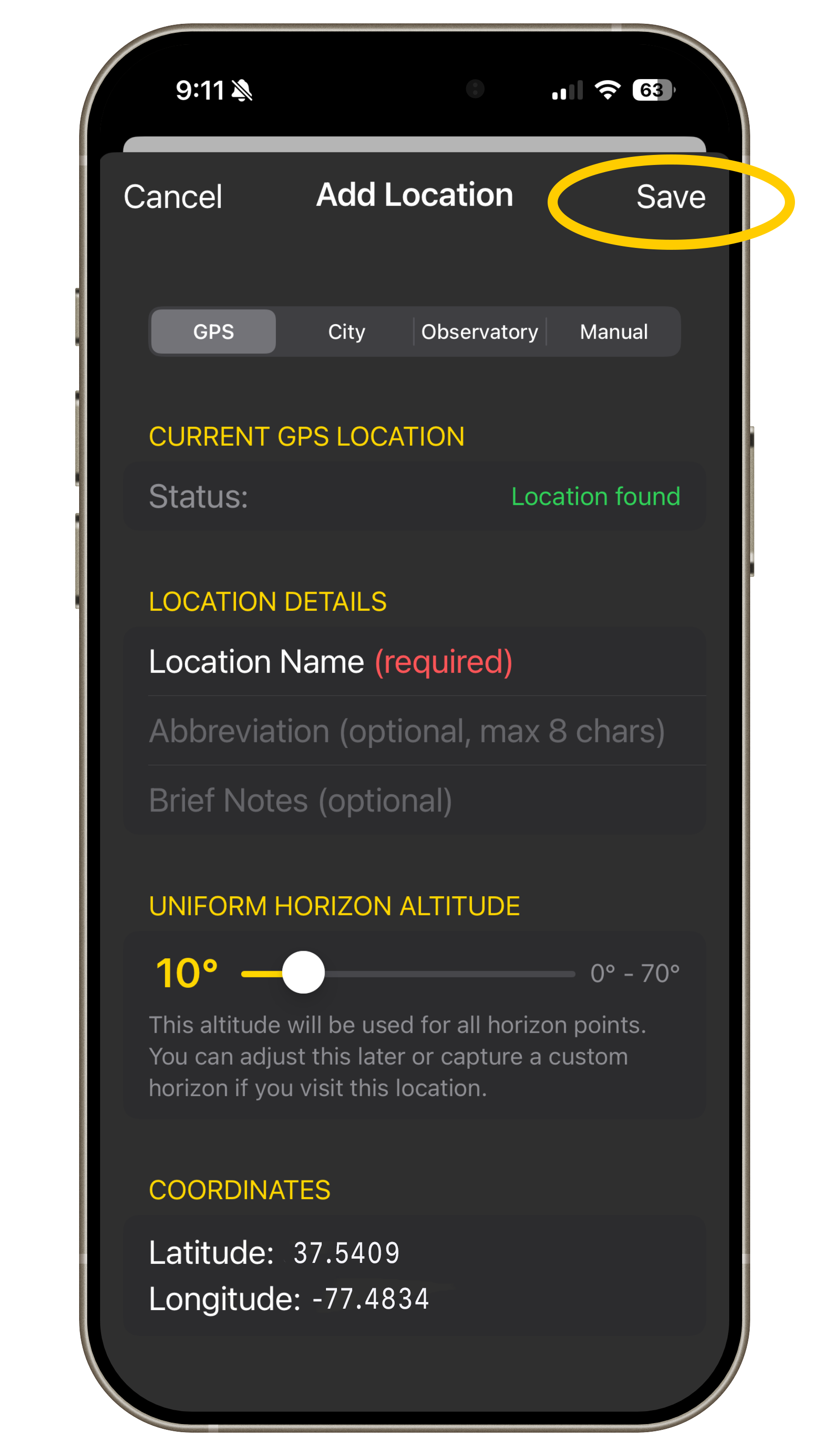
Click Save
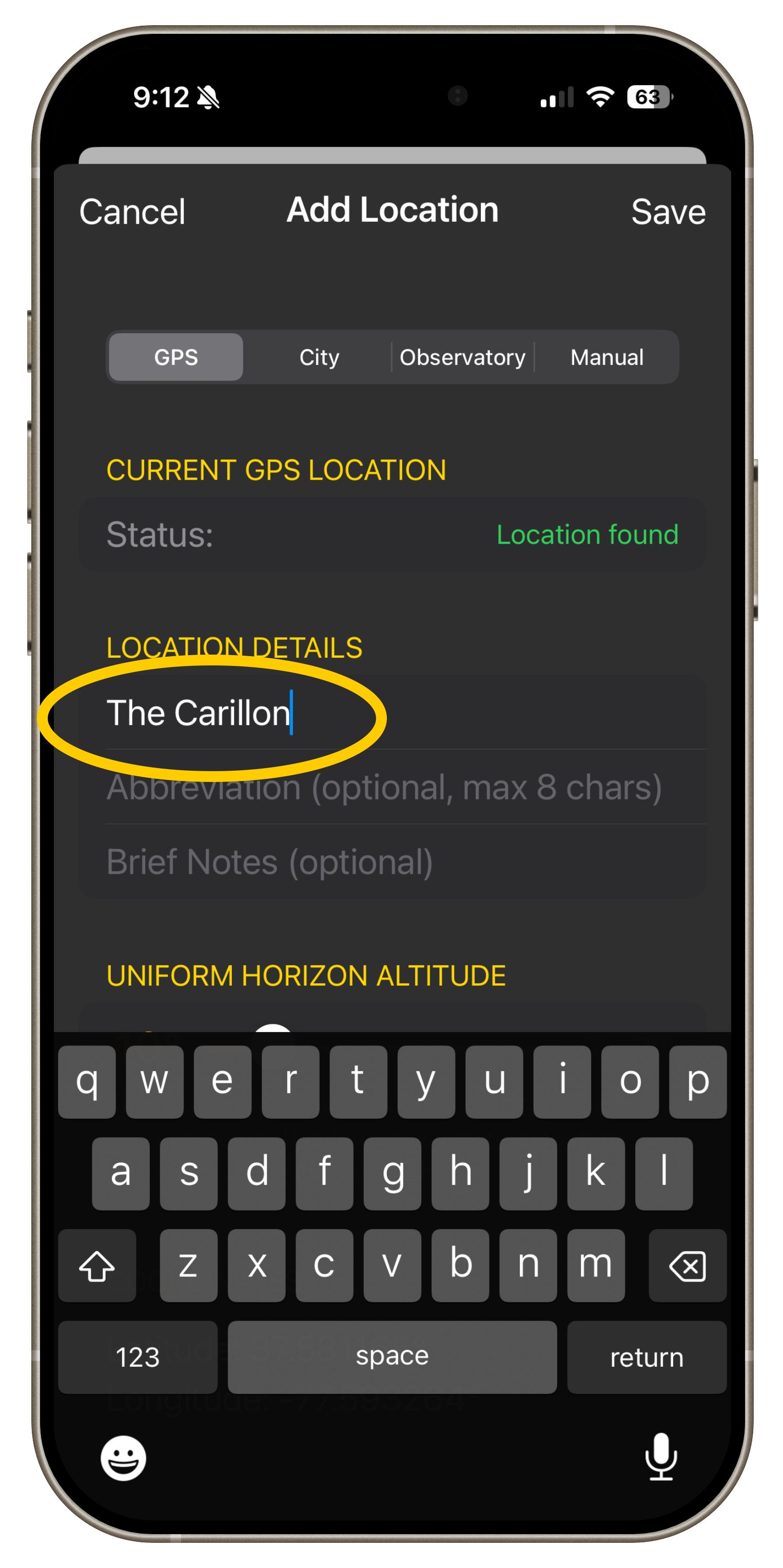
REQUIRED - a location must have a name entered before it can be saved. This is auto populated for the city/country and remote observatory options, though you can change it if desired.
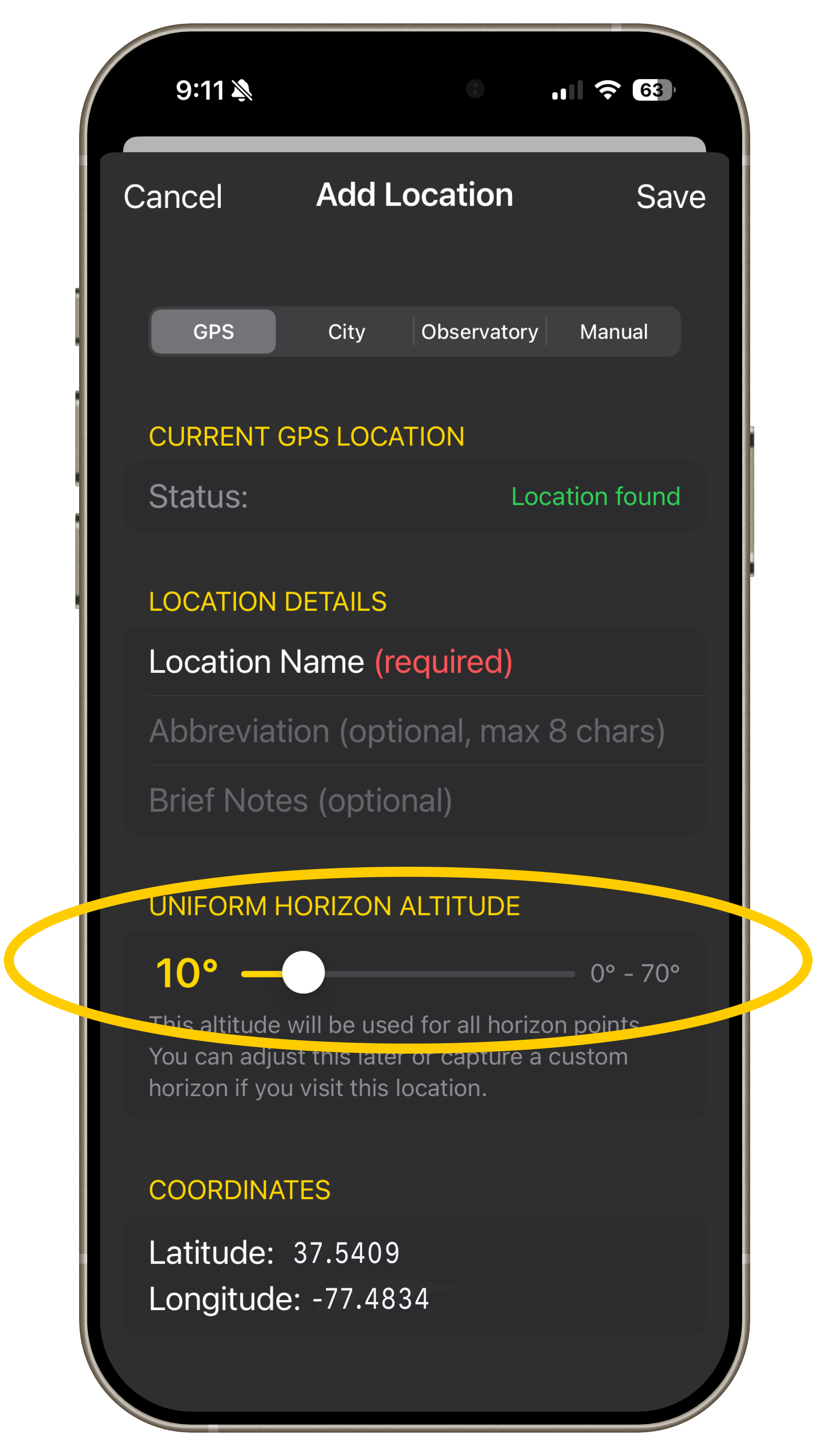
Use the slider to create a uniform horizon (this value can be changed later, or you can replace it with custom traced horizon).
You can then trace a custom horizon by following the instructions here.