
Add a Deep Space Object to the Planner
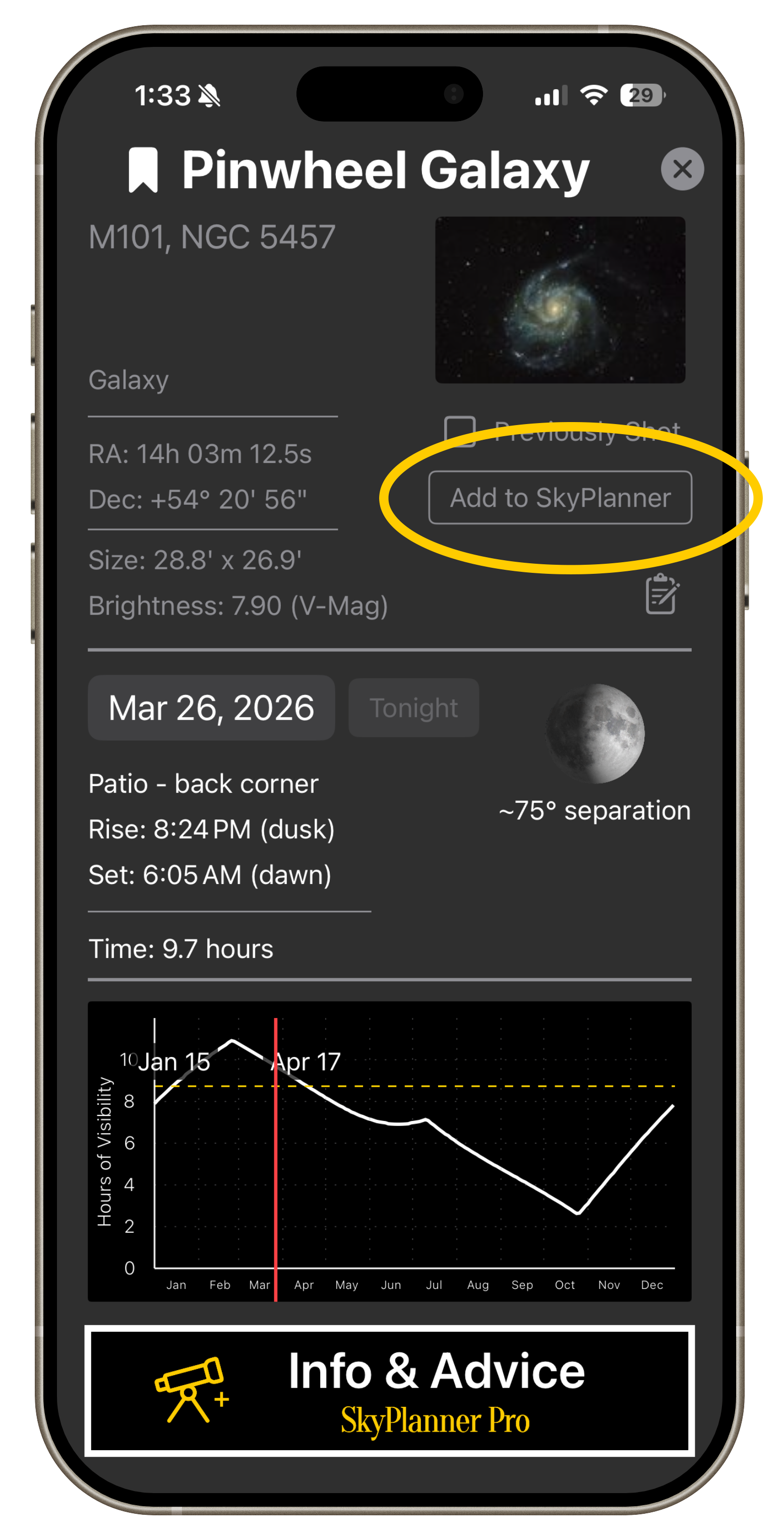
Step 1:
From any target detail page, click Add to SkyPlanner
Drag the green (start) and red (end) lines to set a date range for the target in the planner
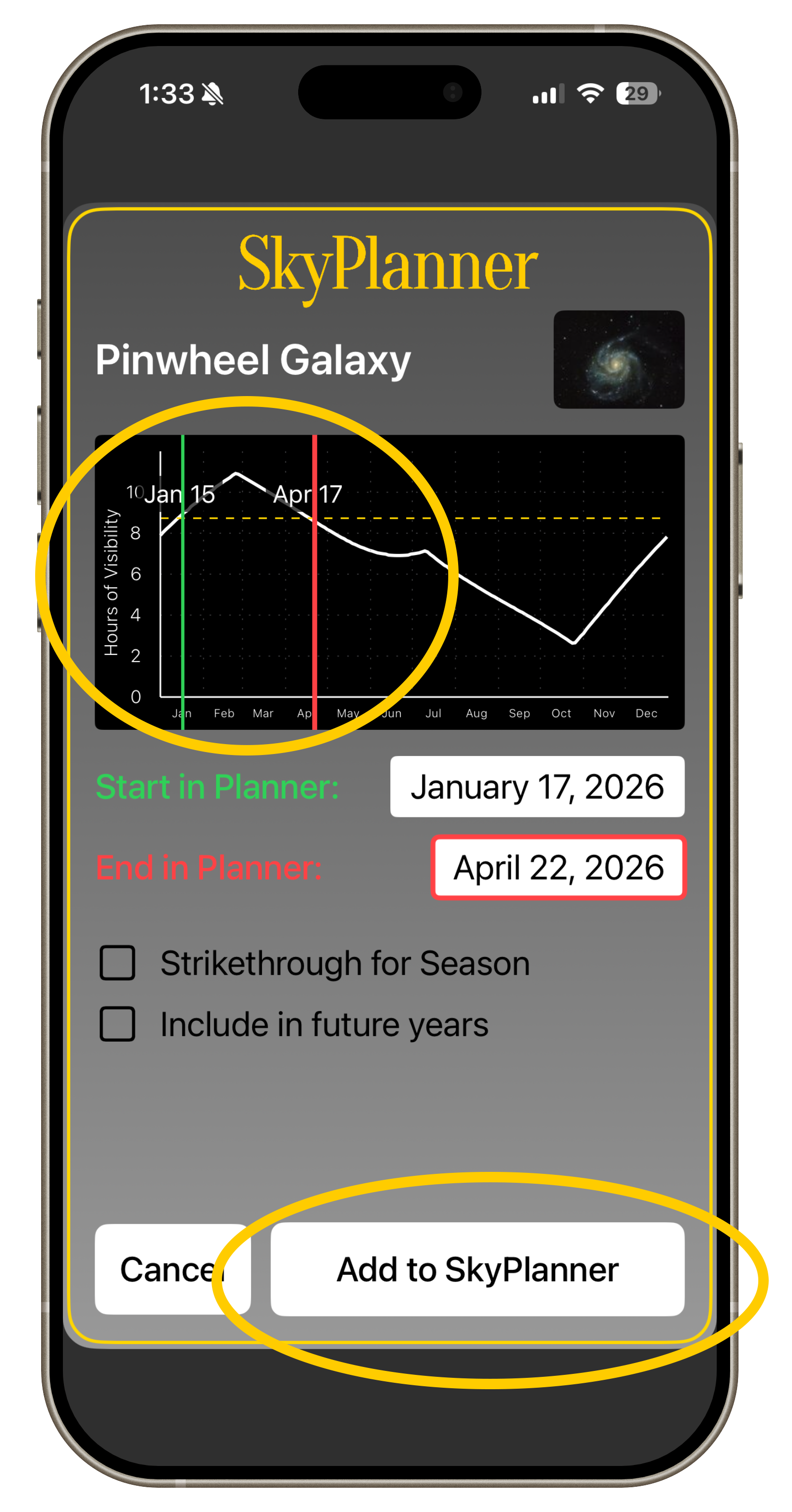
Step 2:
NOTE: Drag red line to the LEFT of green line to carry range to the following year.
Click Add to SkyPlanner.
Step 3:
Bonus Tips:
1. Click "Include in Future years" to have the target repeat yearly
2. Click Strikethrough for Season to draw a line through a target you are done with for this year.
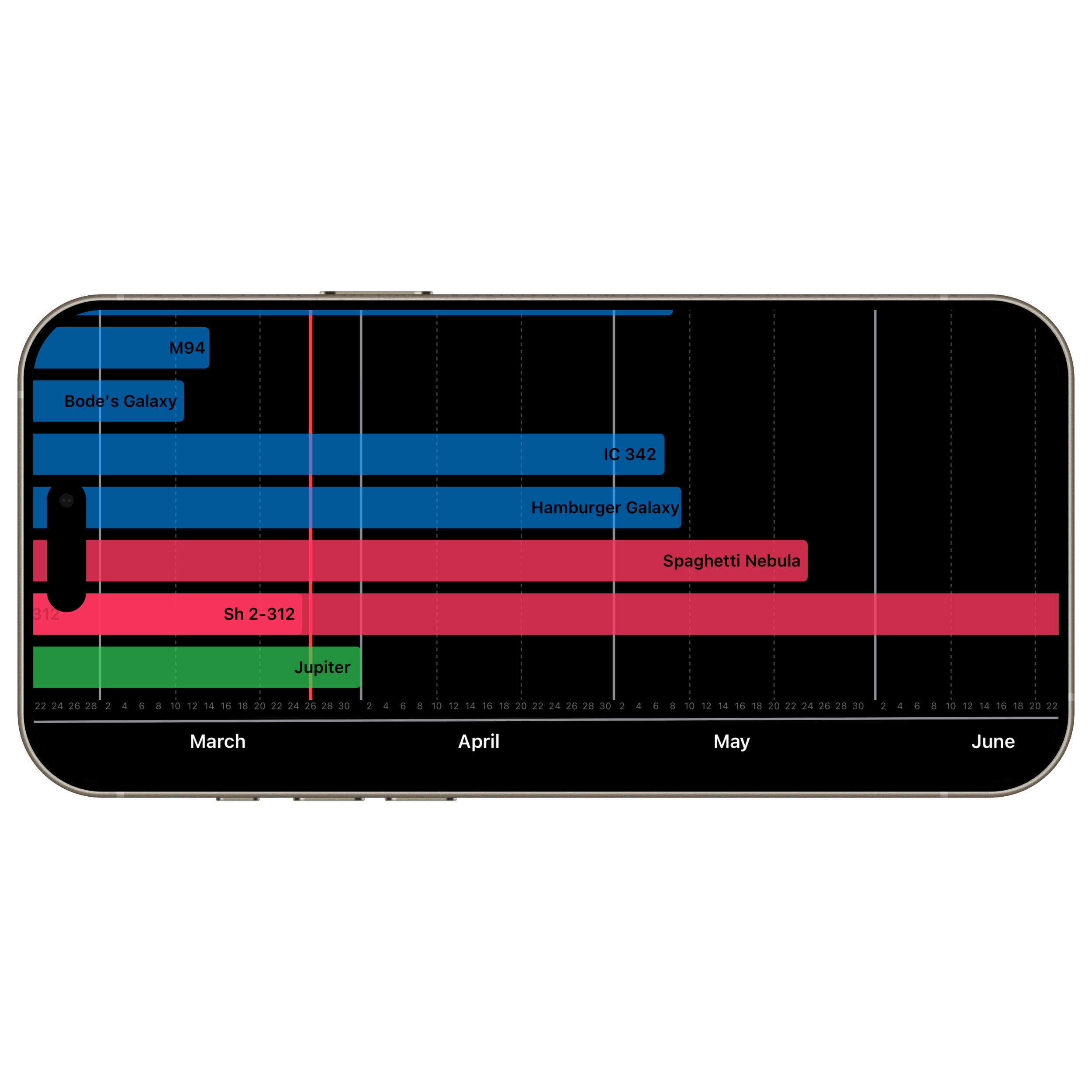
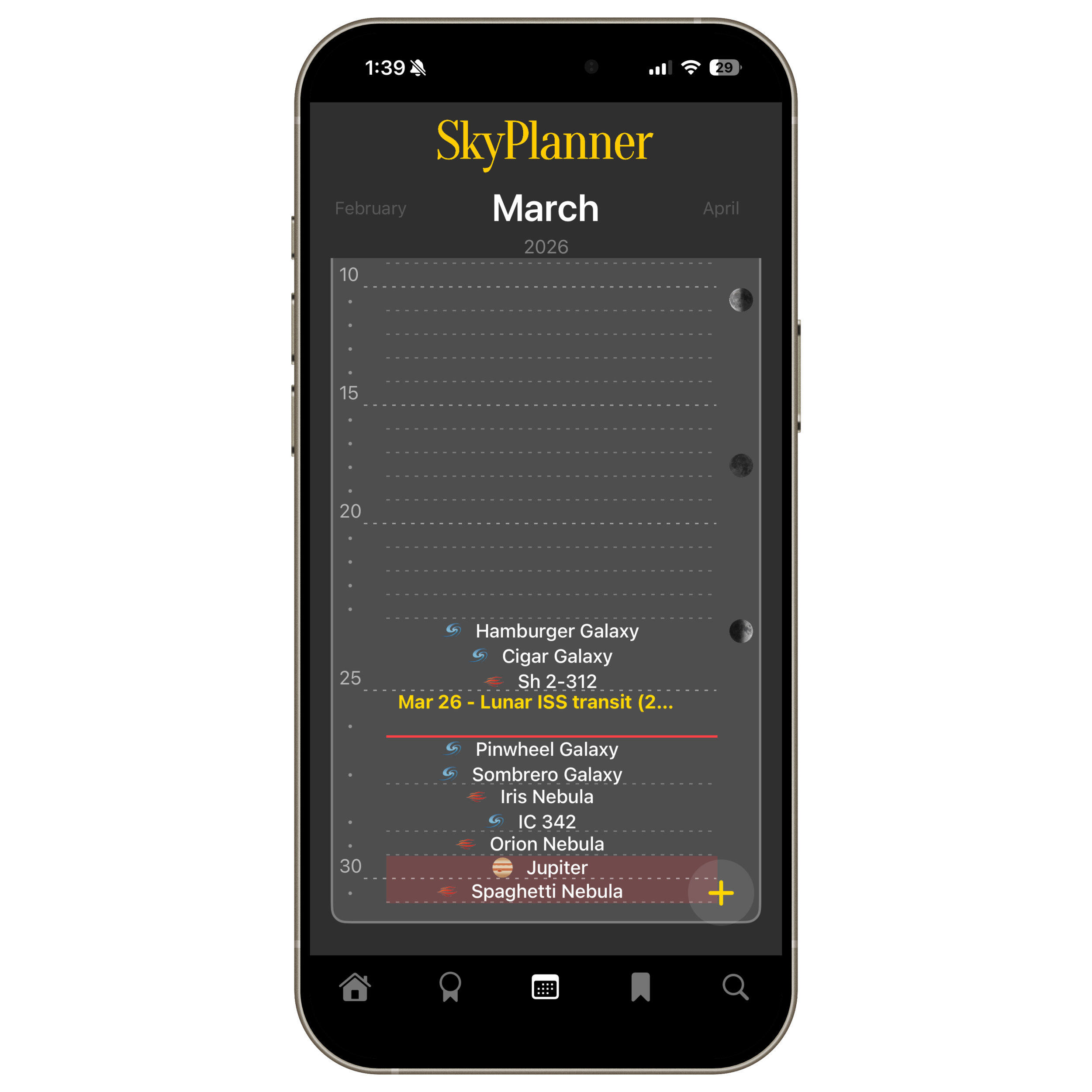
3. The range of all targets in the planner can be visualized by rotating the phone on the planner page.
Use this feature to quickly see what planner targets are nearing the end of their optimal yearly time.